
Insider’s Guide to the Universal Orlando Mobile App
Using the Universal Orlando Mobile App
The official Universal Orlando Resort mobile app includes a variety of tools and resources to help you before and during your Universal Orlando vacation.
The Universal Orlando app allows you to
Link park tickets
Place mobile food and drink orders
Join a virtual line
Create your own "must-do" list
Explore park maps and so much more
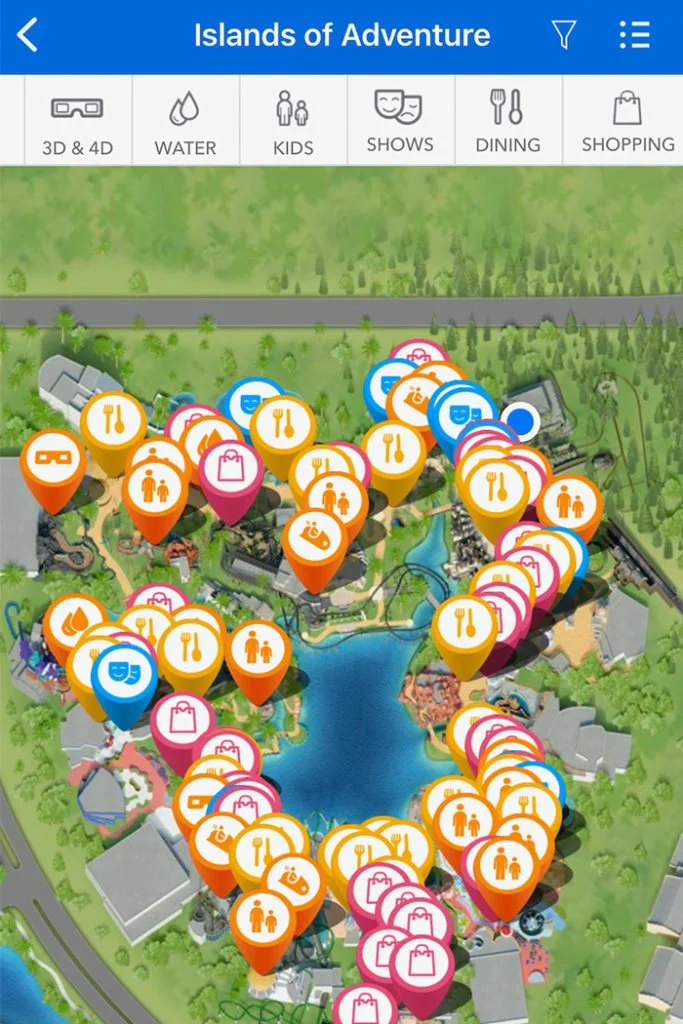
Insider Tip: The map has helpful features like Express Pass-enabled locations, height restrictions, show times, dietary options, and more.
Download the official mobile app (it’s free)
Once you download the app, create or sign in to your Universal account.


Set up your wallet
The wallet feature is known as Universal Pay. Using Universal Pay makes your day easier.
It’s most helpful when ordering food because Universal Orlando encourages mobile orders at quick-service restaurants.
You can place an order and pay for it right in the app (more on this below).
Using Universal Pay at Volcano Bay Water Park
Going to Volcano Bay water park? (It’s only the best water park in Orlando!) Leave your phone in your locker or in your beach bag and your bag of rice at home, you’re phone won’t be getting wet here.
You can purchase food, beverages, and merchandise using Tapu Tapu, a waterproof wristband that is provided upon entry to the park.
Use Tapu Tapu anywhere Universal Pay is accepted in the park. No need to carry your phone, cash, or cards in your bathing suit.
You can also set up and manage sub-accounts for others in your party and set spending limits so they can make purchases with Tapu Tapu as well. See my Tips for Volcano Bay here.

Tapu Tapu at Universal Orlando’s Volcano Bay Water Park
Use the App to Plan Your Trip
Scroll through the rides and shows that are available at each park.
Tap the heart on your favorite attractions to add them to your favorites list, making it easy to reference wait times and attraction details once you are in the park.
Doing this helps ensure that you won’t miss any must-dos while touring the parks.
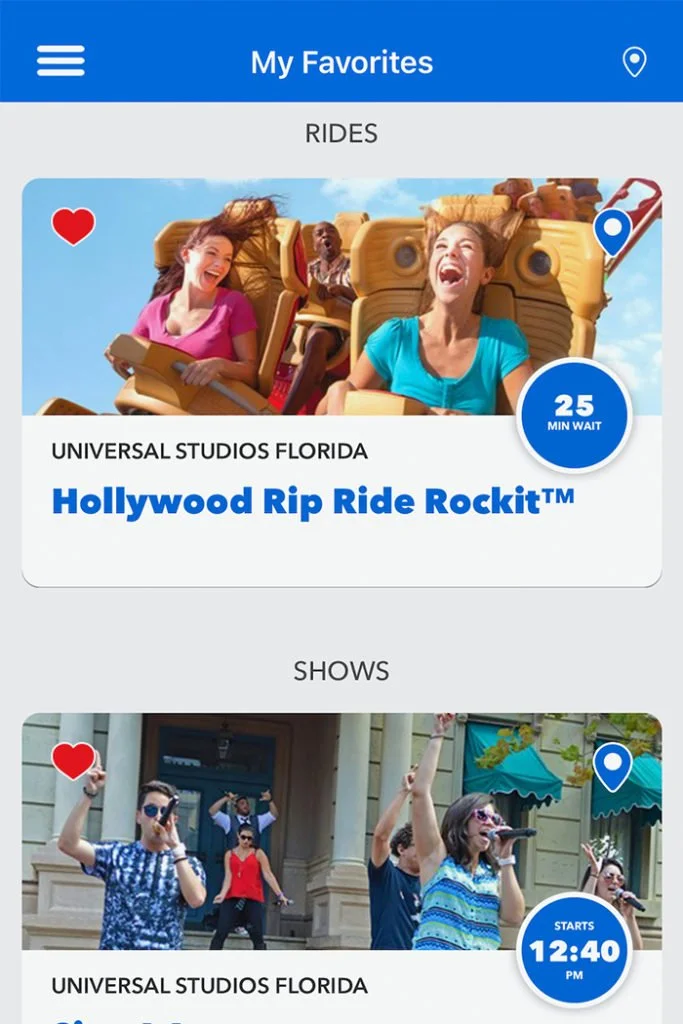

Linking tickets to the Universal Orlando mobile app
If you booked a vacation package with me, you’ll pick up your tickets when you arrive at your Universal Orlando hotel.
To add a ticket to the mobile app, select “Scan Tickets & Add Ons” to scan the back of your ticket or enter your ticket number (located under the barcode).
If you need help, just ask a Team Member at the ticket desk, located inside the hotel lobby.
Placing Mobile Food and Drink Orders
Order ahead from select restaurants when you’re in the theme parks and at CityWalk.
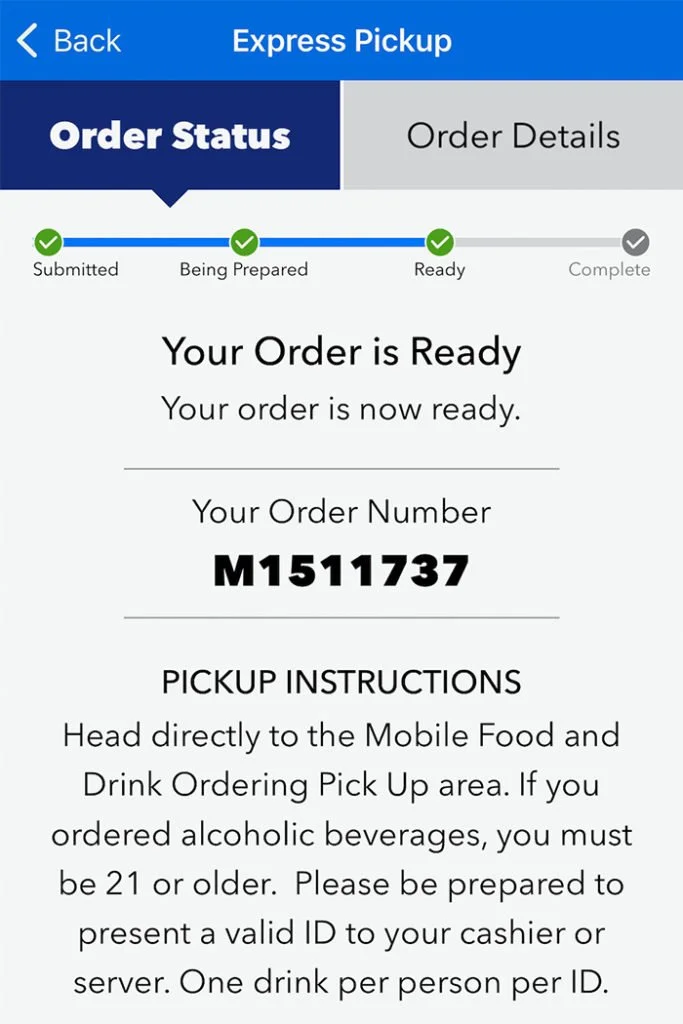
How to place your mobile order
Open the side navigation and select "Mobile Food & Drink Ordering"
Select an available restaurant
Browse menu options and make customizations
Tap “Prepare My Order”
Wait at the pickup window to receive your order
Join Virtual Lines at Universal Orlando
During busier times of the year, some of Universal Orlando’s most popular attractions allow you to join a Virtual Line. Rather than stand in a physical line, you can reserve a time to ride and go off to enjoy other areas of the park. This feature is free.
Here’s how Virtual Lines work:
Pick your ride in the app
Join the queue for a time window that works for you
Show the Team Member your phone to scan and enter the attraction
The app will display the attractions that are offering a Virtual Line, if any. You can almost always find Race Through New York starring Jimmy Fallon as an option.
Depending on how crowded the park is, Universal may also offer Virtual Line on the following:
Hagrid’s Magical Creatures Motorbike Adventure
Fast & Furious: Supercharged
Revenge of the Mummy
Universal Orlando adjusts Virtual Line throughout the day. The day may start off without any Virtual Lines being offered but as the park gets busier, some Virtual Lines may begin to come online. Universal may also remove the option during the day if it’s no longer needed - but they will still honor existing reservations.
Insider Tip! I recommend you check for Virtual Lines starting 20 minutes prior to the park opening time.
Insider Tip! Use the “Wait Time Alert” feature on the app to get notified if the wait for a favorite attraction is under a certain time. For example, you can set up an alert to be notified if the wait for Hagrid’s Motorbike Adventure drops below 60 minutes.

Have questions about planning your Orlando vacation? I have answers! Contact me now to get more out of your vacation.

Darren is a Disney-focused travel agent with Magical Vacations Travel and has over 13 years of experience. Readers of the Unofficial Guide to Walt Disney World rate him as a Best of the Best Disney Travel Agent. Darren is also an Orlando-based travel writer with topics ranging from theme parks to cruise lines.
Search articles
Recent Articles


See what I’m up to in the theme parks.











Disney World’s 2026 merchandise is arriving early. Take a first look at the new apparel, souvenirs, and collectibles now appearing across property.